
How to Create Your Own Private WireGuard VPN on a VDS Server (Fast, Stable, and Nearly Unblockable)
Public VPN services suffer from one fundamental flaw: shared IP addresses. When thousands of people exit the internet through the same IP, streaming platforms, banking services, corporate systems, and geo-restricted websites quickly flag that IP as “VPN traffic” and block it. The result is all too familiar: even after paying for a VPN, many websites still refuse to load, apps complain about region restrictions, and streaming platforms ban the connection entirely.
The ultimate solution is to run a personal VPN server with a clean, dedicated IP that belongs only to you. With this approach, your VPN behaves like a normal household or office connection. For 99% of use cases, this gives you a connection that is extremely stable, highly private, fast, and — most importantly — nearly impossible to block.
In this step-by-step guide, we will deploy WireGuard VPN on a virtual dedicated server (VDS). The installation is easy thanks to a ready-made web interface, so even beginners can follow along. Advanced users can later build additional configurations or run multiple VPN protocols side-by-side.
Why We Recommend VDSina (With Discount Link)
Throughout this guide we are using VDSina — a highly reliable, stable, and well-trusted hosting provider with excellent performance, clean traffic channels, and low-latency servers in the Netherlands. Their infrastructure is ideal for running a personal VPN server.
VDSina is known for:
- Very stable uptime and consistent speeds
- Clean unblocked IP ranges that work with streaming services
- Fast NVMe storage for responsive system performance
- Reliable European locations such as Amsterdam
- Great pricing — perfect balance of cost and performance
You can rent a server using our partner link and receive a discount:
Rent a Netherlands VDS for Your Private VPN (Discount Included)
A mid-tier server (~$6.5/month) is more than enough to support WireGuard at excellent speeds for 5–10 users. You can share access with close family members and friends.
If you want a long-term solution, VDSina also offers “lifetime servers” — a one-time payment for permanent hosting — which is an outstanding deal for your own VPN hub.
1. Create a WireGuard Server in Your Hosting Panel
Log in to your VDSina control panel and click + Create Server.

Choose the WireGuard VPN (Ubuntu 22 Web) template — it includes a ready-to-use web interface for managing your VPN users.

Select a Netherlands location. Backups are optional — you can disable them to reduce cost.

Click Create and wait 1–3 minutes. Your VPN server is now deploying.
2. Access the WireGuard Web Interface
When the server is ready, open the Access tab.

Reveal and copy your password, then click the IP address to open the WireGuard web panel.

3. Create a VPN Client Profile
In the panel, click + New client.

Name it as you wish — phone/PC/name/etc.

The profile is created instantly. You can generate as many profiles as you want — one for each device.
4. Install WireGuard on Your Phone
Install WireGuard from the App Store or Google Play.
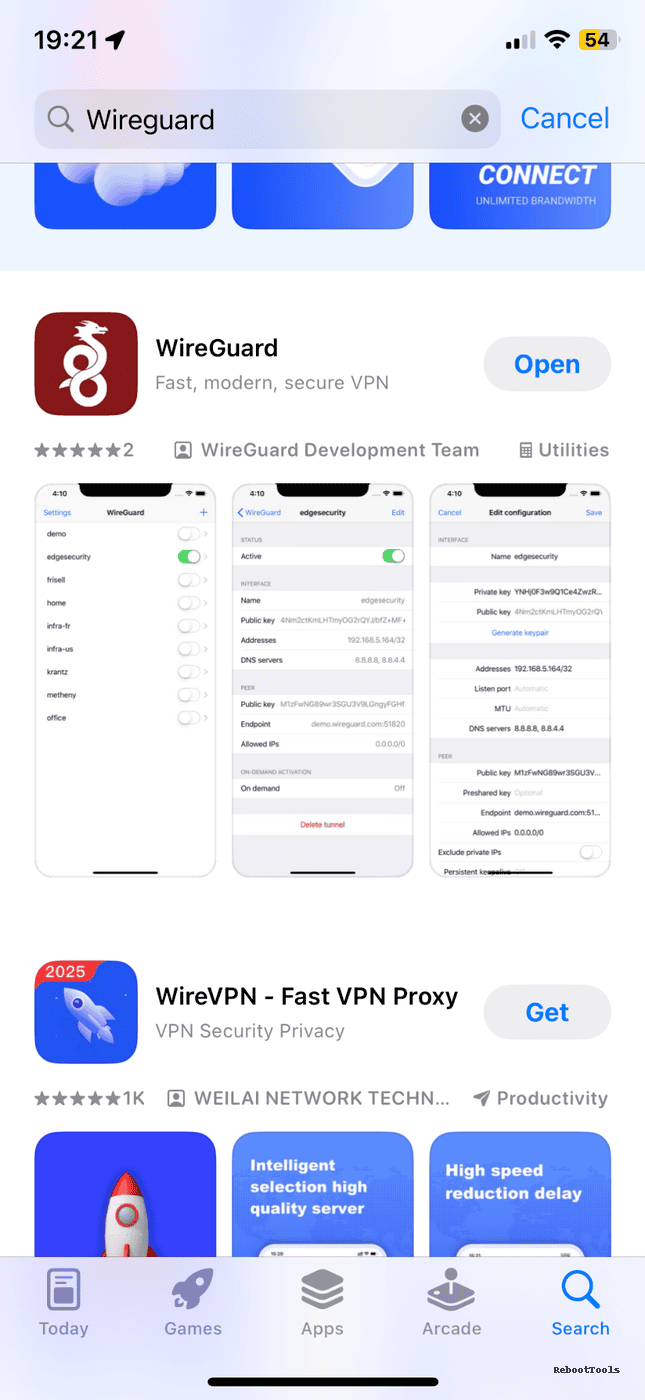
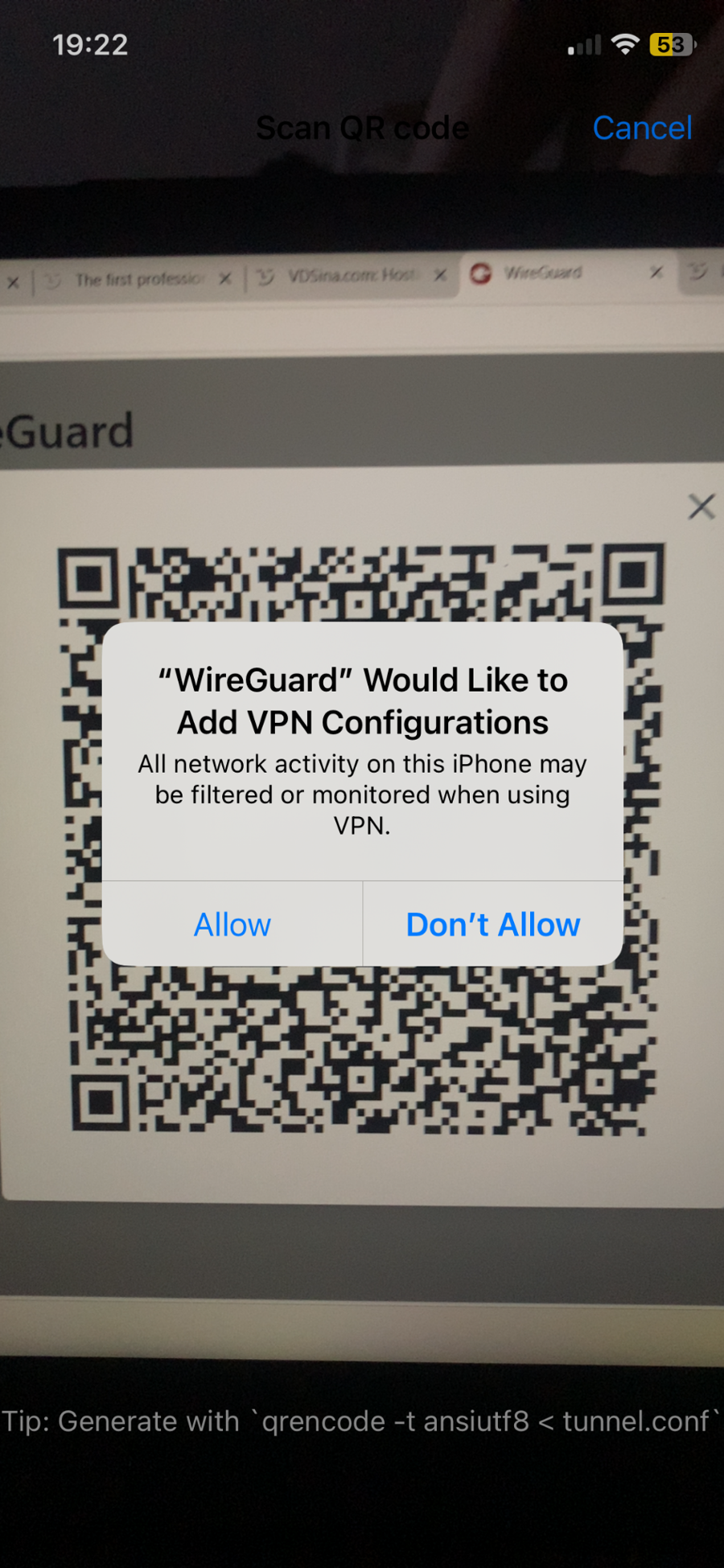
Open the app → tap Add Tunnel → Scan from QR Code.

In the web panel, click the QR icon of your client.

Scan the QR using your phone. The tunnel imports instantly.

Activate the connection.
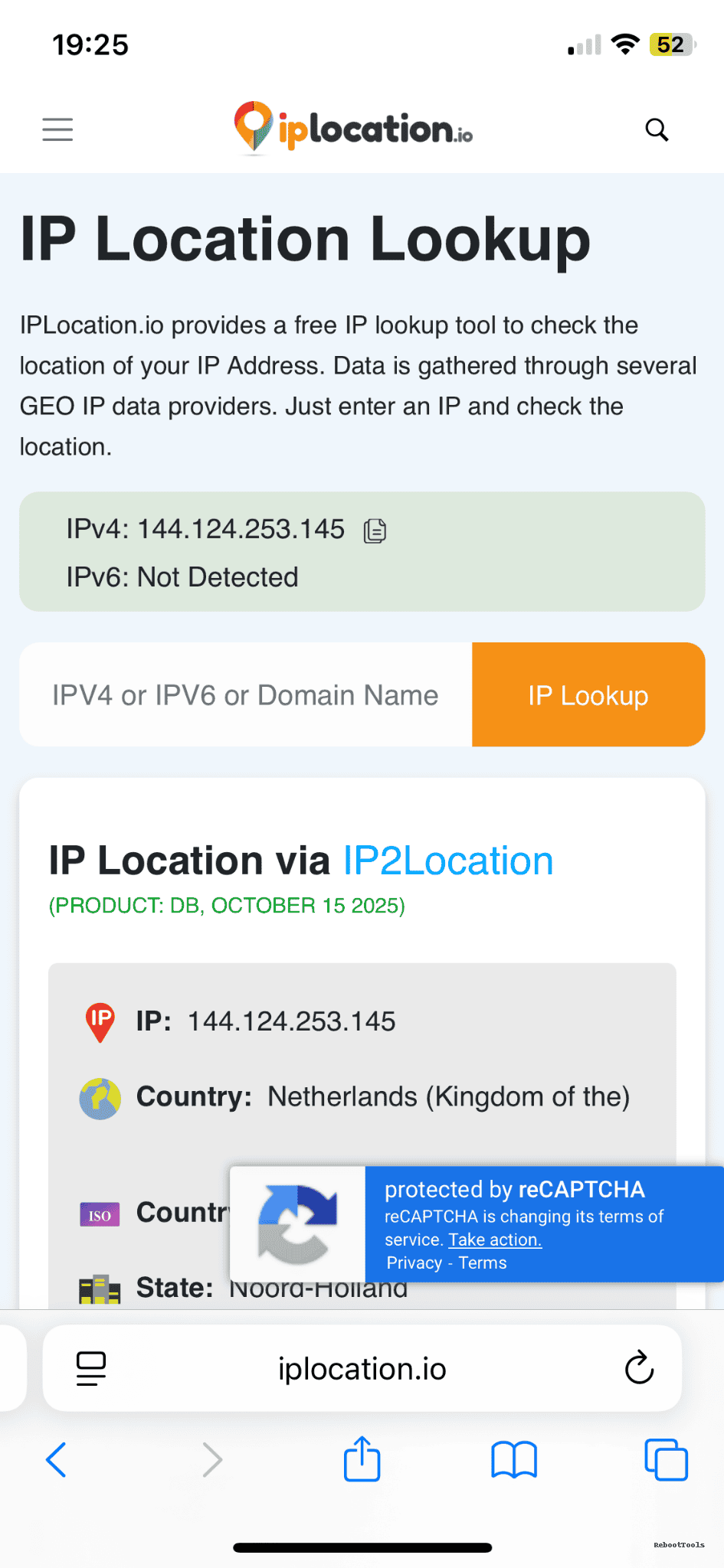
5. Verify Your IP Address
Search “what is my IP”. You should now appear as if you’re in the Netherlands.
6. Set Up WireGuard on Desktop
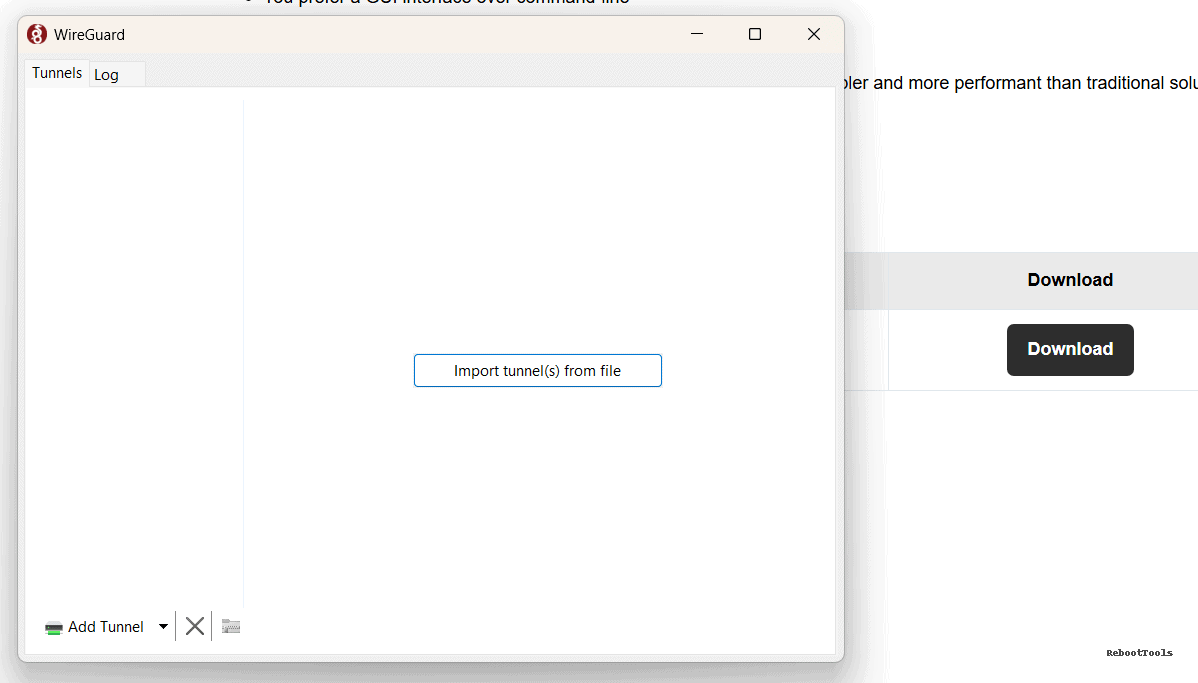
Download WireGuard for PC: WireGuard for Windows/macOS

Open the app → Add Tunnel → Import from File → Activate.


Why a Personal VPN Is Nearly Impossible to Block
Your VDS uses a clean, private, unique IP. Since it looks like any normal home or office connection, websites and services have no reason to block it.
With your own WireGuard VPN, you get:
- ✔ Uninterrupted access to websites and streaming services
- ✔ Stable ping and consistent speeds
- ✔ Encrypted, private browsing through your own server
- ✔ A connection that does not look like a VPN at all
This is why personal VDS-based VPNs are the most effective solution for bypassing restrictions and maintaining a stable online presence.
You can always deploy additional servers using the same provider:
Deploy Another VDSina Server (Partner Discount Applied)
Alternative Privacy Tools (OpenVPN, Outline, SoftEther, Tor)
WireGuard is one of the fastest and most modern VPN protocols, but depending on your needs, you may also explore additional tools:
- OpenVPN — classic, widely supported VPN protocol
- OpenConnect — Cisco-compatible, enterprise-grade VPN
- Outline VPN — easy privacy server for small teams
- SoftEther VPN — versatile multiprotocol system
- Tor Browser — anonymous routing for private surfing
For exploring more tools, visit the complete software library: RebootTools Program Catalog.
About Tor Browser (Important Privacy Note)
While WireGuard on your own VDS provides a stable, fast, and nearly unblockable connection, Tor Browser is designed for a different goal — anonymous browsing through a multi-node encrypted network. If your priority is privacy rather than region-unblocking or streaming, Tor is an excellent additional tool to keep in your arsenal:
Useful Links
- Rent VDSina Server with Discount
- WireGuard (official client)
- OpenVPN
- OpenConnect
- Outline VPN
- SoftEther VPN
- Tor Browser
- Full Software Catalog
Need Help?
If something doesn’t work or you have questions about setting up your personal WireGuard VPN, feel free to contact us through the website’s feedback form. We will gladly help you configure your VPN or answer any technical questions.